
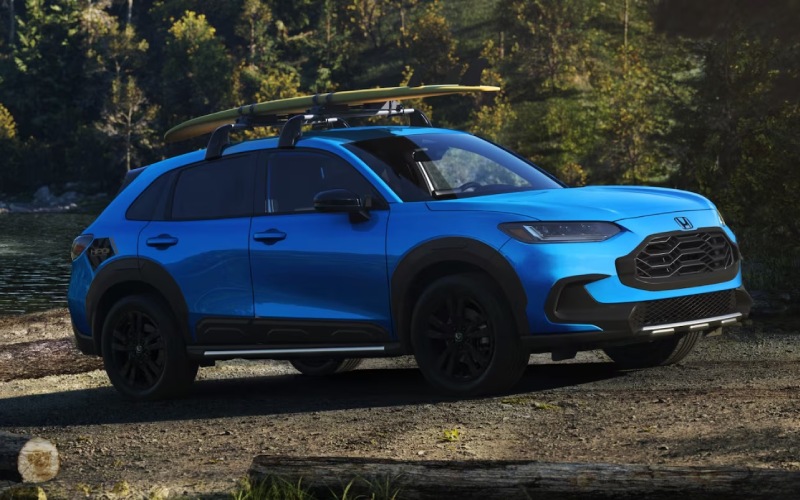
Brad Deery Honda – Will my iPhone or Android connect wirelessly in the 2026 Honda HR-V near Iowa City, IA?
If you rely on your phone for maps, podcasts, and messages, the way your next SUV connects matters. We hear this from shoppers who commute along I-80, zip between Coralville and North Liberty, or park near the University of Iowa Hospitals & Clinics. The good news is simple — the 2026 Honda HR-V makes everyday phone integration effortless, and it does it wirelessly.
Below, our team at Brad Deery Honda explains exactly how wireless Apple CarPlay® and Android Auto™ work in the 2026 HR-V, what’s standard across all trims, and a few local-use tips to help you get the most out of your drive around Iowa City, IA. We also included quick setup steps and answers to the layered questions shoppers tend to ask after their first test drive.
Yes — wireless Apple CarPlay and Android Auto are standard on every 2026 HR-V
Every 2026 Honda HR-V — LX, Sport, and EX-L — includes Wireless Apple CarPlay® compatibility and Wireless Android Auto™ compatibility. That means you can get in, start up, and your favorite navigation, music, and messaging apps appear on the HR-V’s standard 9-Inch Color Touchscreen without plugging in a cable. It’s a seamless experience when you’re bouncing between errands in downtown Iowa City or heading to Kinnick Stadium for game day.
This is more than a convenience play. With wireless integration and the HR-V’s standard Wireless Phone Charger, you keep your center console clear of cords, your phone stays topped up, and you still control everything from the intuitive touchscreen or by voice. If your commute takes you from Iowa City to West Burlington or Mount Pleasant, fewer cords mean fewer distractions — and a neater cabin, too.
What you get on every 2026 HR-V
To make this concrete, here’s a look at the key tech items that make daily life smoother in and around Iowa City.
- Wireless Apple CarPlay® Compatibility: Access Apple Maps, Waze, Spotify, Apple Music, Messages, and more on the 9-Inch Color Touchscreen with Siri voice control.
- Wireless Android Auto™ Compatibility: Use Google Maps or Waze, stream music or podcasts, and send messages with Google Assistant — cable free.
- 9-Inch Color Touchscreen: A clear, high-definition hub with a familiar app layout and a physical volume knob for quick adjustments while driving.
- Wireless Phone Charger: A built-in charging pad keeps compatible smartphones powered without hunting for a cord.
- Bluetooth® Streaming Audio: An easy fallback for audio even if you prefer not to run Apple CarPlay or Android Auto.
- Front and Center Console USB Ports: Keep accessories powered or choose a wired connection if you ever prefer it.
- HondaLink® App: Check mileage, fuel range, and oil life remotely and schedule service with our team.
Tech-focused shoppers often ask which trim to choose. If you want the richest audio experience, the EX-L adds an 8-speaker, 180-watt audio system and premium interior touches that make longer drives to the Amana Colonies or Lake Macbride feel a notch more refined. The Sport trim adds Smart Entry with Walk Away Auto Lock®, Heated Front Seats, Remote Engine Start, and the Blind Spot Information System with Cross Traffic Monitor — all welcome conveniences for daily driving around Coralville or North Liberty. Connectivity remains the same great wireless experience on every trim.
Quick setup — wireless Apple CarPlay and Android Auto in the HR-V
Getting connected is straightforward. Plan to complete the pairing once, then it reconnects automatically when you start the HR-V with your phone in the cabin.
- Turn on the HR-V and enable Bluetooth and Wi-Fi on your phone.
- On the 9-Inch Color Touchscreen, select Phone or Smartphone Connection and follow on-screen prompts.
- Confirm the pairing code shown on both the screen and your phone.
- Allow permissions for contacts, messages, and notifications if you want them available through the system.
- For Apple users, accept the prompt to Use CarPlay wirelessly. For Android users, open Android Auto and follow the quick-start steps.
If your phone does not connect immediately, a quick restart of your device typically does the trick. Also make sure your phone software is up to date. You can always switch between phones from the Connection settings on the touchscreen — helpful if you and a partner alternate driving on Highway 6 or I-380.
Why wireless integration matters for Iowa City driving
Local routines benefit from less friction. Parking in the Old Capitol Town Center ramp, hopping in for a short Prairie Lights stop, or meeting friends on the Ped Mall — those quick trips are where wireless really shines. There’s no fumbling with a cable when your hands are full. And on longer stretches across Johnson and Washington counties, live traffic in Apple Maps or Google Maps helps you skirt backups near the I-80 interchange or roadwork on Riverside Drive.
Voice control is another everyday win. With Siri or Google Assistant, you can dictate and send a text, queue up your favorite podcast, or reroute to the nearest coffee shop — all while keeping your hands on the wheel. Pair this with the HR-V’s ergonomic steering wheel controls and the experience stays intuitive and calm, even when traffic gets busy near the University of Iowa campus.
Pro tips to get the most from your HR-V’s wireless setup
After helping many Iowa City shoppers set up their phones during test drives, we’ve learned a few simple habits keep things smooth over time.
- Prioritize your primary device: Set your phone as the first device in the connection list so it always grabs the spot when you start the HR-V.
- Keep software current: Periodic iOS or Android updates improve stability and add features to Apple CarPlay and Android Auto.
- Use voice for safety: Siri and Google Assistant keep your eyes up and hands free — the right move when navigating Burlington Street or Burlington Road.
- Know your charging sweet spot: The Wireless Phone Charger is designed for compatible phones without bulky cases — a slim case often charges faster.
- Download offline maps: If you frequent rural roads outside Solon or Kalona, pre-download areas in Apple Maps or Google Maps for reliable guidance with spotty coverage.
Beyond connectivity, the HR-V adds peace-of-mind tech you’ll appreciate around Iowa City. Honda Sensing® is standard on every 2026 HR-V, with features like Adaptive Cruise Control with Low-Speed Follow, the Lane Keeping Assist System, and the Collision Mitigation Braking System™. When conditions call for extra traction, available Real Time AWD™ with Intelligent Control System™ and Snow mode bolster confidence without complicating your daily drive. It’s all designed to work quietly in the background while you focus on where you’re headed next.
If you want to experience the full setup — including pairing your iPhone® or Android™ phone and trying voice commands — visit us across from Walmart in West Burlington. We’ll walk you through the system on the showroom floor or during a test loop, so you leave confident that the HR-V fits your day-to-day in and around Iowa City.
Frequently Asked Questions:
Is wireless Apple CarPlay and Android Auto really standard on the LX?
Yes. For the 2026 model year, Wireless Apple CarPlay® compatibility and Wireless Android Auto™ compatibility are standard on every HR-V trim — LX, Sport, and EX-L — along with the 9-Inch Color Touchscreen.
Do I need a data plan for navigation and streaming to work?
Apple CarPlay and Android Auto use your phone’s data connection for live traffic, search results, and streaming. If you expect to drive through low-coverage areas, consider pre-downloading maps or playlists before you head out.
Can more than one phone be paired with the 2026 HR-V?
You can store multiple paired devices and select which phone to use when you start the vehicle. Only one device runs Apple CarPlay or Android Auto at a time, so we recommend setting your primary device as the default for seamless handoffs.
What if my phone does not charge on the Wireless Phone Charger?
Make sure your device supports wireless charging, remove especially thick or metal-backed cases, and center the phone on the pad. If charging remains inconsistent, our team can help you test with and without a case during your visit.
Is built-in navigation available if I do not want to use my phone?
The HR-V focuses on phone-based navigation through Apple CarPlay and Android Auto. Many owners prefer this because maps and apps update automatically and stay familiar from one vehicle to the next.
Our goal at Brad Deery Honda is to make tech effortless, not complicated. The 2026 Honda HR-V delivers a clean, modern cockpit with the wireless features shoppers near Iowa City ask for most — and we’re here to help you tailor it to your routine. Stop by our showroom in West Burlington to pair your phone, explore trims like Sport and EX-L, and take a spin to see how the HR-V’s connectivity fits your everyday drive.